
🎬 Mastering Grok Imagine: The Ultimate Guide to Crafting Stunning AI Video Prompts
This easy guide teaches you how to write powerful prompts, avoid common mistakes, and bring your creative ideas to life with smooth cinematic motion. Perfect for beginners and creators.

Hey, AI Ready Seeker! 👋🙂
Artificial Intelligence has changed the way people create art, stories, and even short videos. One of the most exciting new tools for this is called Grok Imagine. Grok Imagine can turn words into short videos in just a few seconds.
That means you can describe a scene like a fox walking through a snowy forest at night and the system will create a moving clip that looks like a small movie.
The secret to getting great results from Grok Imagine lies in how you write your prompt. The prompt is the sentence or paragraph that tells the AI what to make. A clear and well written prompt can turn your idea into something amazing. A confusing or weak prompt can lead to odd or broken videos.
In this guide you will learn how Grok Imagine works, how to write powerful prompts, and how to avoid common mistakes. You will also see real examples of prompts that create beautiful results. By the end you will be able to write prompts that look like they came straight from a movie studio.
Understanding Grok Imagine and How It Works 🌟
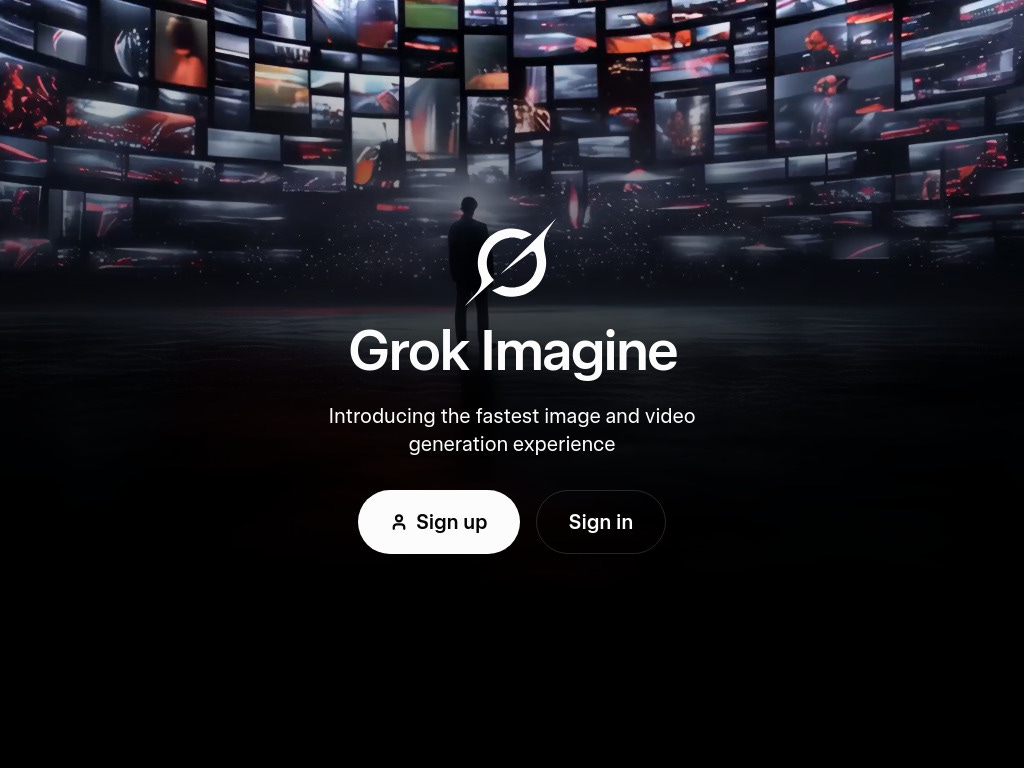
Grok Imagine is an AI video generator that turns short text prompts into looping clips. The videos usually last around six seconds and can play on repeat like a GIF.
You can also use an image as a starting point. This means you can upload a picture and tell the AI to animate it. For example you could take a still photo of a flower and ask Grok to make it open its petals slowly.
There are several modes you can choose inside Grok Imagine. Each one changes the look or feeling of the video.
🌟 Normal Mode: Creates balanced and realistic results.
😄 Fun Mode: Adds creative or playful effects.
🎨 Custom Mode: Lets you control the artistic direction and mood.
🔥Spicy Mode: Allows more expressive content but should always be you control the artistic direction and mood.
Because Grok Imagine works within limits you need to keep your expectations realistic. Each clip is short and focuses best on one main action. Complex scenes with many moving parts may not look right.
Knowing these rules helps you write prompts that the AI can understand easily. The clearer your idea the better the outcome will be.
The Anatomy of a Powerful Video Prompt 🧬
A great prompt has several key parts. Each part helps the AI understand what kind of video to make. Think of these parts like pieces of a puzzle. When they all fit together the video looks amazing.
Here are the seven main parts of a strong Grok Imagine prompt:
1️⃣ Action or Motion
Tell the AI what movement should happen. Examples include walking, spinning, rising, or floating.
👉 Example: A butterfly fluttering above a meadow.
2️⃣ Subject or Scene
Say who or what the main focus is.
👉 Example: A silver fox, a violinist, a lone astronaut.
3️⃣ Framing or Camera Composition
Describe how the viewer sees the subject. You can say close up, wide shot, or top view.
👉 Example: Close up of a hand pouring tea.
4️⃣ Environment or Background
Explain where the scene takes place.
👉 Example: In a misty forest, on a beach at sunset, in outer space.
5️⃣ Lighting and Mood
Lighting affects the emotion of the video. You can say soft morning light, neon glow, or candlelight.
👉 Example: Moonlight shining through tree branches.
6️⃣ Style or Artistic Direction
This sets the tone or texture of the image. It can be cinematic, painterly, anime style, or realistic.
👉 Example: Dreamlike cinematic tone.
7️⃣ Mode or Setting
Choose the Grok Imagine mode ‘Custom’.
When you put these together the AI understands your creative vision clearly.
🌲 Example full prompt:
A white fox gliding through a moonlit forest, medium shot, soft mist swirling, cinematic dreamlike tone.
This prompt tells the AI what to show, how to move, and what feeling to create.
The Science and Art of Prompt Engineering 🏗️
Prompt engineering means learning how to write instructions that guide the AI perfectly. It is both a science and an art because you need logic and creativity at the same time.
🧩 Why Word Order Matters
Grok Imagine gives more attention to the first few words in your prompt. Always put the most important details at the beginning. For example write A fox gliding through a forest at night instead of At night a fox glides through a forest because the first version gives a stronger main image.
🪄 Be Specific Not Vague
Words like beautiful or nice do not help much. The AI does not know what kind of beauty you mean. Instead use clear details like soft mist, golden sunset, or sparkling water droplets.
🎥 Use Cinematic Language
Film terms like wide angle shot, slow zoom out, or handheld camera look help the AI shape the movement. They make the video feel more like a real movie.
💡 The Action Lighting Style Formula
A simple way to build any prompt is to start with an action, add lighting, and finish with style.
Example: A dancer twirling under soft golden light in cinematic style.
🔁 Test and Refine
Always test your prompts and then change one thing at a time. Maybe you change the light from soft golden to neon blue or make the motion slower. Comparing versions helps you learn what each word does.
When you understand how Grok Imagine reads your words you can guide it like a film director guiding a camera crew.
Step by Step Prompting Guide 📑
Step 1: Pick Your Idea
Decide what the video will show. Start with one main subject and one clear action.
Example: A bird flying above the ocean.
Step 2: Write a Simple Prompt
Start small. Write the subject and motion only.
A bird flying above the ocean.
Step 3: Generate and Review
Let Grok Imagine create the video. Watch it carefully. Is the motion smooth? Is the background correct?
Step 4: Add Details
If it looks plain add lighting or framing cues.
A bird flying above the ocean, wide shot, golden sunset lighting.
Step 5: Adjust Style and Mode
Add artistic style or choose the mode that fits your idea.
A bird flying above the ocean, wide shot, golden sunset lighting, cinematic style, Custom mode.
Step 6: Add Looping or Motion Control
Make the clip flow naturally.
Looping seamlessly in smooth motion.
Step 7: Test and Compare
Create two or three versions. Pick the best one and note which words made it better.
Step 8: Save and Share
When you are happy with the result export it and share it with your audience.
💡Pro Tip: Think like a movie director. You are writing directions for a virtual camera, not just describing a picture.
Real World Prompt Examples
Each one focuses on a different style or theme.
🎬 Cinematic and Realistic
An astronaut floating weightless in space, medium shot, glowing nebula behind, soft blue rim light, cinematic tone, Custom mode, looping smoothly.
This prompt gives a movie-like feeling and uses clear lighting cues.
🌸 Nature and Abstract
A red rose blooming in slow motion, macro close up, dew drops shining, soft morning light, painterly tone, looping.
This works well for gentle motion and beautiful color detail.
🚗 Lifestyle and Action
A vintage motorcycle cruising through a desert road, wide shot, dust trailing behind, sunset glow, cinematic retro film style, Custom mode, looping softly.
The motion is clear and the setting feels natural.
🐾 Character Animation
A cat pawing at drifting cherry blossoms, close up, petals falling slowly, pastel pink lighting, soft animation, Fun mode, smooth loop.
This one feels calm and cute because of the lighting and tone.
🌌 Fantasy or Sci Fi
A glowing city floating above the clouds, camera zooming slowly out, neon reflections, dreamy atmosphere, futuristic style, Custom mode, looping.
Here the style makes it feel like a science fiction film.
Try creating variations by changing one element at a time. Maybe switch the lighting or the type of motion. You will start to see how each change transforms the mood.
Advanced Prompt Strategies
Once you are comfortable with the basics you can try some expert techniques to get even better results.
🎨 Use an Image as an Anchor
If text prompts give unstable results start with a still image. Create a detailed picture first then use it as the base for your video. Tell the AI how to move the image gently.
Example: Animate this image of a forest by making the leaves sway softly.
🚫 Add Negative Prompts
You can tell the AI what not to include.
Example: No extra characters, no text, no artifacts.
This keeps the video clean and focused.
🎥 Control the Camera
Use film words that describe how the camera moves.
Examples: tracking shot, zoom out, slow pan across scene, handheld look.
These words shape the perspective of the viewer.
✨ Stylization Tricks
Add phrases that change the texture or feeling of the video.
Examples: dreamlike atmosphere, retro film grain, neon reflections, soft watercolor effect.
These cues guide the AI’s artistic choices.
🔁 Perfecting the Loop
If you want the video to repeat smoothly write cues like starts and ends the same, cyclic movement, or loop seamlessly. This helps the start and end frames match nicely.
Advanced prompt crafting turns your words into a creative language that speaks directly to the AI.
Final words ✨
Start experimenting today. Try describing your favorite dream, a peaceful nature scene, or a short story idea. Watch as Grok Imagine turns it into moving art.
If you want more like this, tap the ‘❤️’ and ‘🔁’ to show your vote.
Thanks for sharing, I truly appreciate your feedback 👍
Leave a comment / Reply to: aireadytips@substack.com
Explore my curated list of AI tools & services: aireadytips.com/tools