
🌐💓 Lovable: Launch Your Website
Learn how to publish your Lovable AI website for free on Vercel
Hey, AI Ready Seeker! 👋🙂
Lovable is an AI-powered platform that builds websites for you from simple instructions. You tell Lovable what you want and it generates the code.
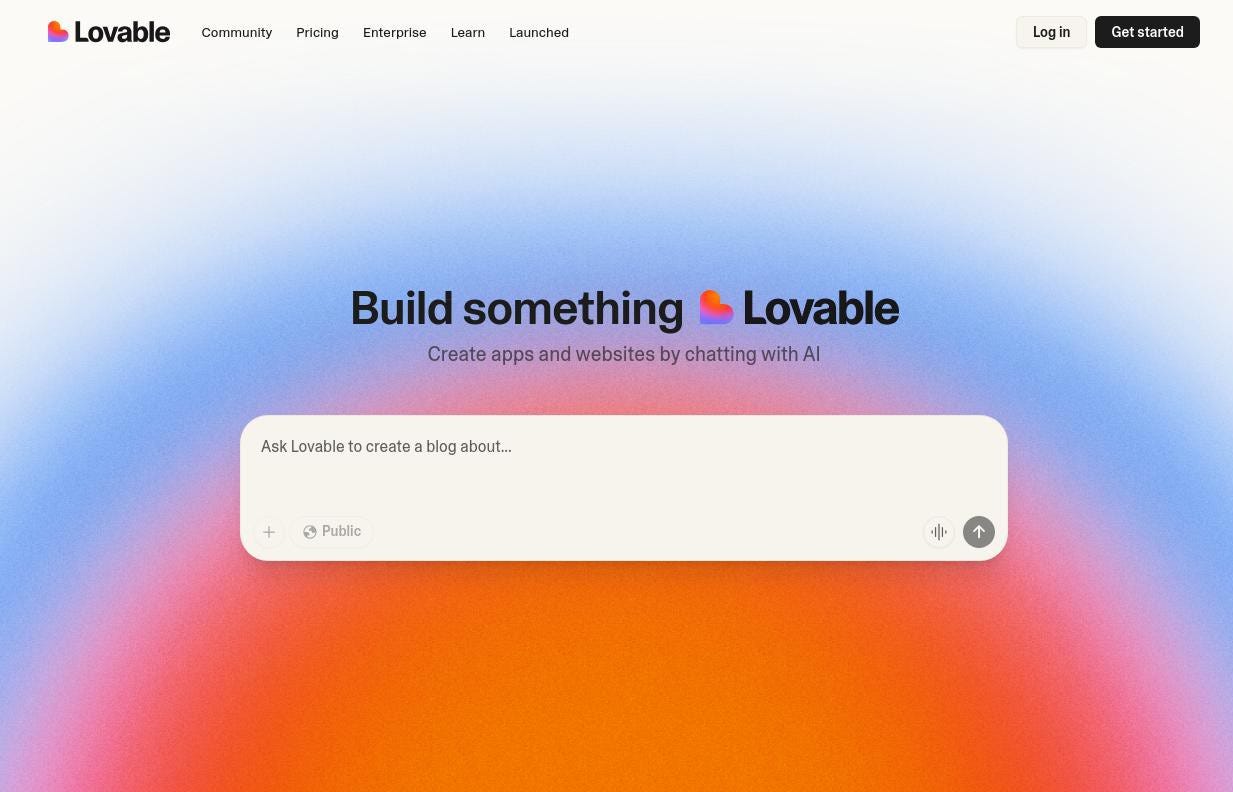
This guide will show you how to take a website built in Lovable and publish it online for free using Vercel. No coding or technical knowledge is required.
Overview of Steps:
🧑💻 Step 1: Create Your GitHub Account
🔗 Step 2: Connect Lovable to GitHub
🌐 Step 3: Deploy Your Website to Vercel
🎉 Step 4: Open Your Live Website
Prerequisites:
A Lovable project ready to publish
Here's an article on how you can create one:

Let’s continue…
🧑💻 Step 1: Create Your GitHub Account
🎯 Goal: You need a GitHub account to store your website code.
Go to GitHub
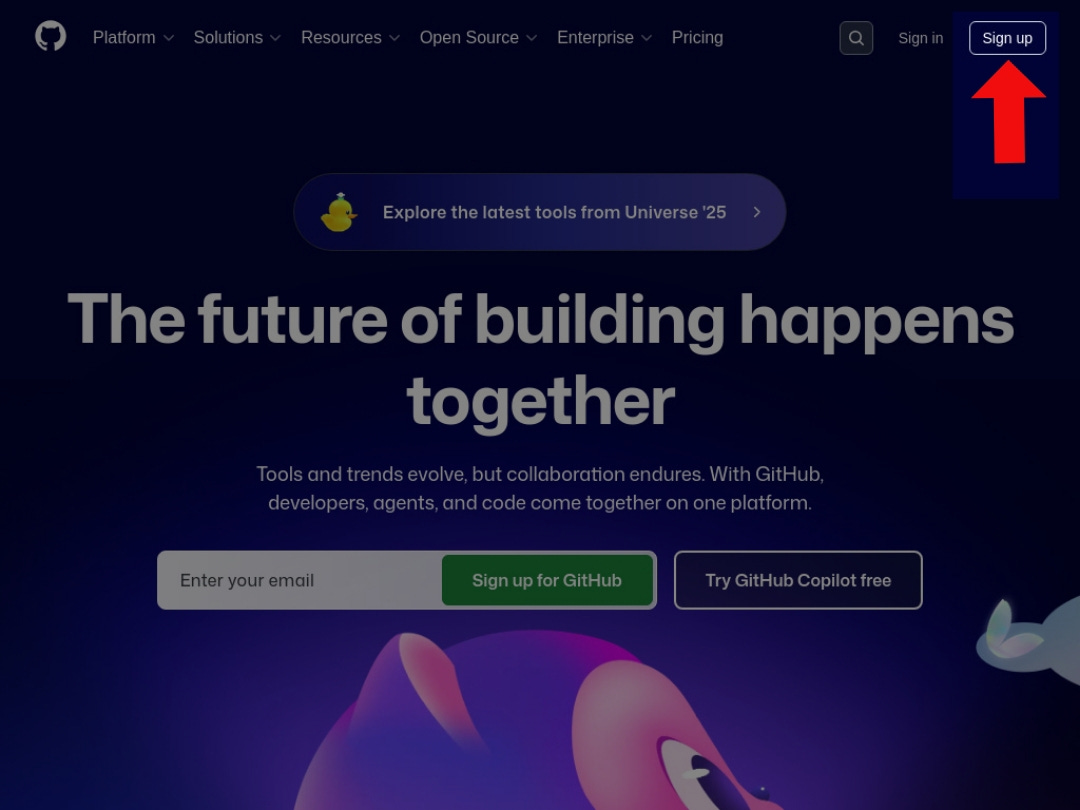
Click Sign up
Enter your email
Choose a username
Create a password
Click Create account
Verify your email
💡Note: GitHub will send a verification code, check your inbox
🔗 Step 2: Connect Lovable to GitHub
🎯 Goal: Link your Lovable project to GitHub so you can export and launch your website.
💡 Important: If you want to change your project name, do it now. This name will appear in your website URL after launch. Do not rename or move the GitHub repository later, or the Lovable sync may break.
Open your project in Lovable
Click the GitHub logo in the top navigation bar.
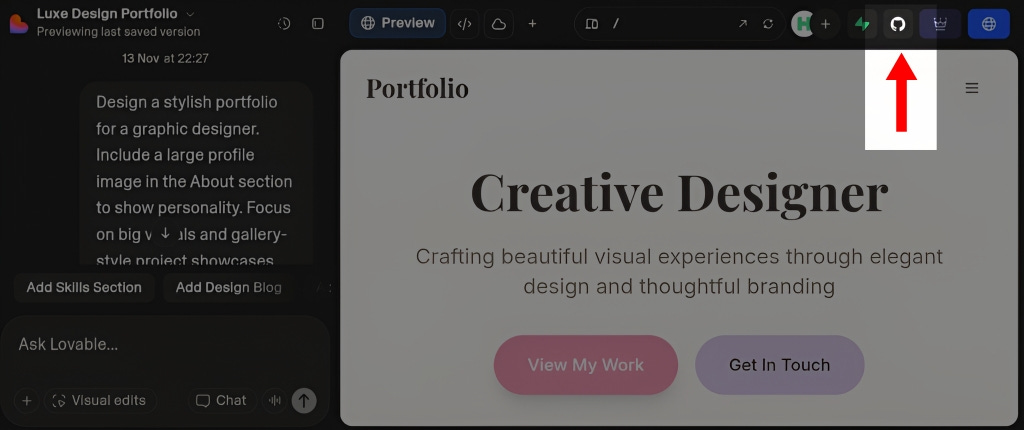
🔎 After clicking the GitHub logo, you should see a panel pop up Click Connect GitHub
Click Connect Project
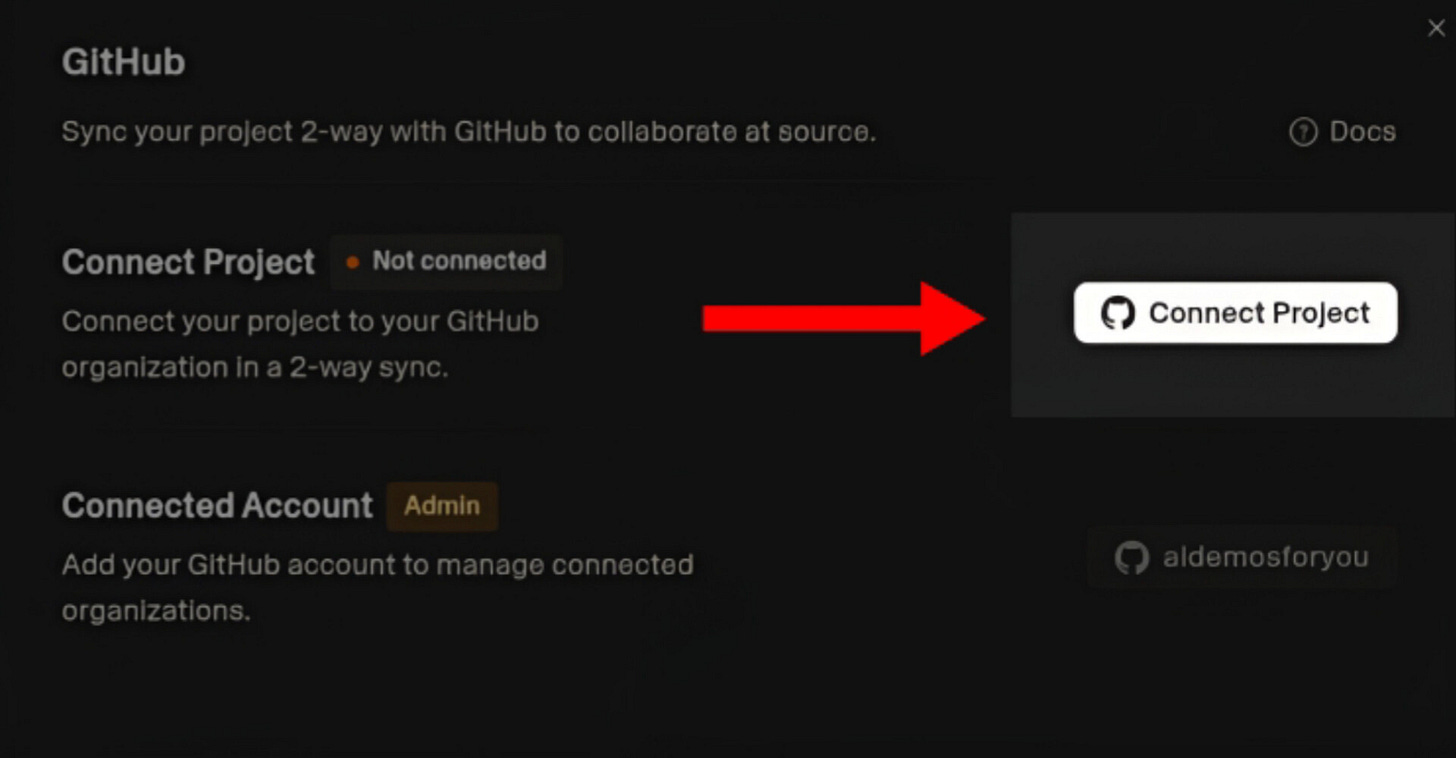
… Click Add Organizations
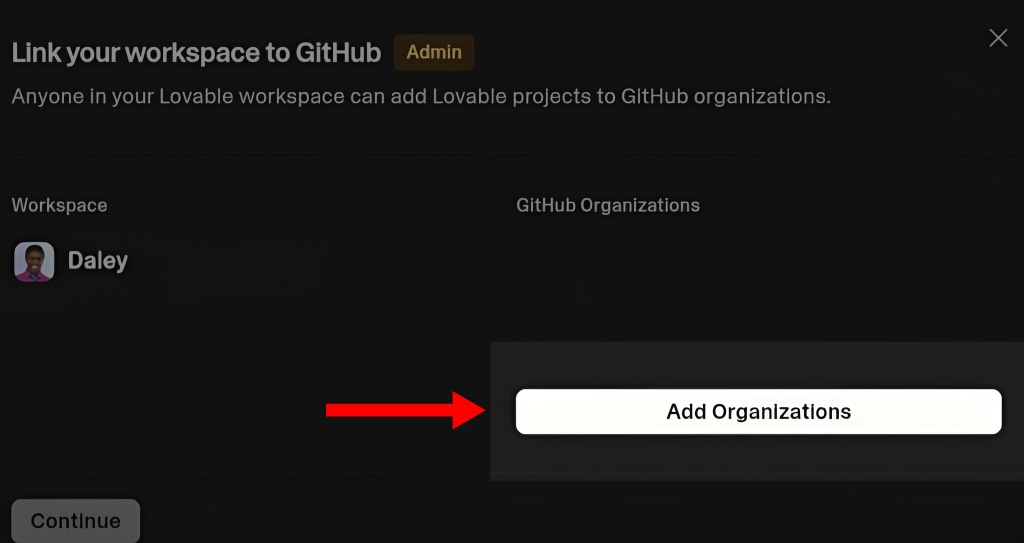
🔎 You should be redirect to GitHub authorization panel Click Install & Authorize
Sign in and approve the connection when GitHub asks for permission. After approval, you should be redirected to your Lovable project page.
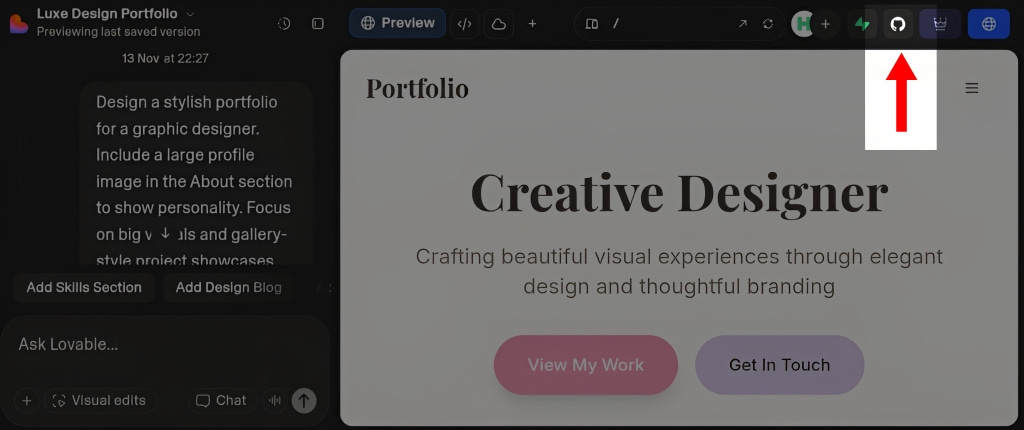
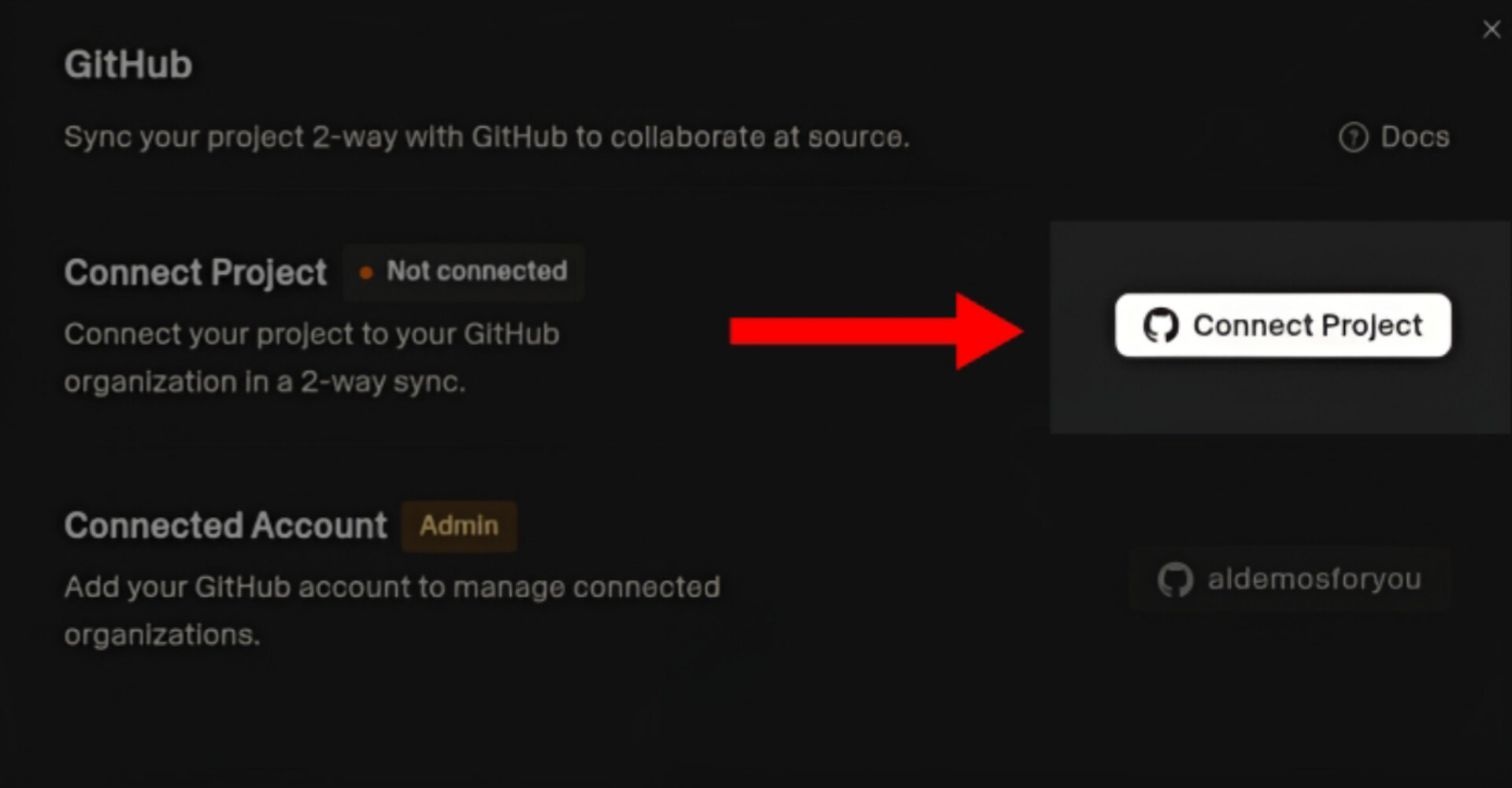
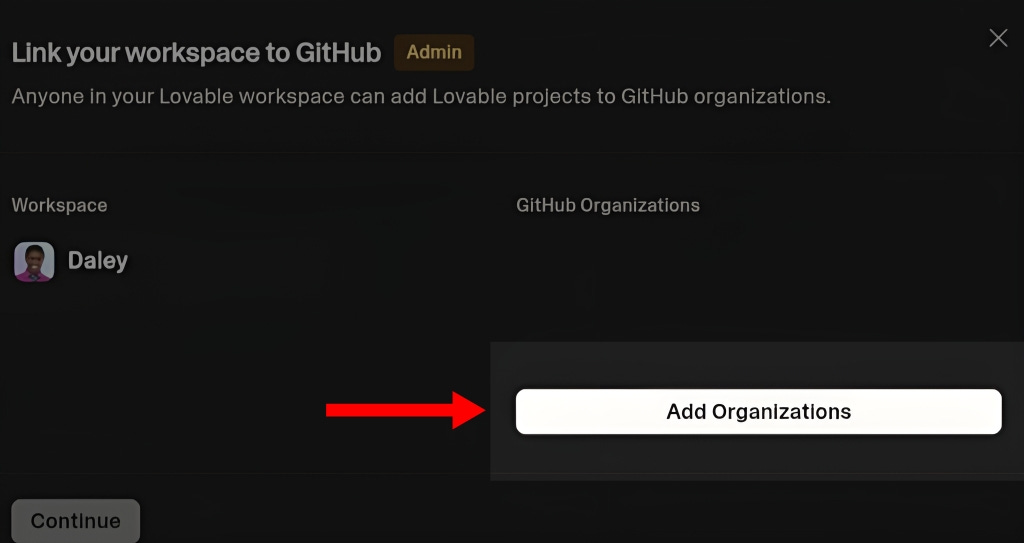
⚠️Caveat: If you are not redirected automatically, go back to your project page, manually.
Go to your project, click Connect GitHub
Click Connect Project
Click Manage Organizations
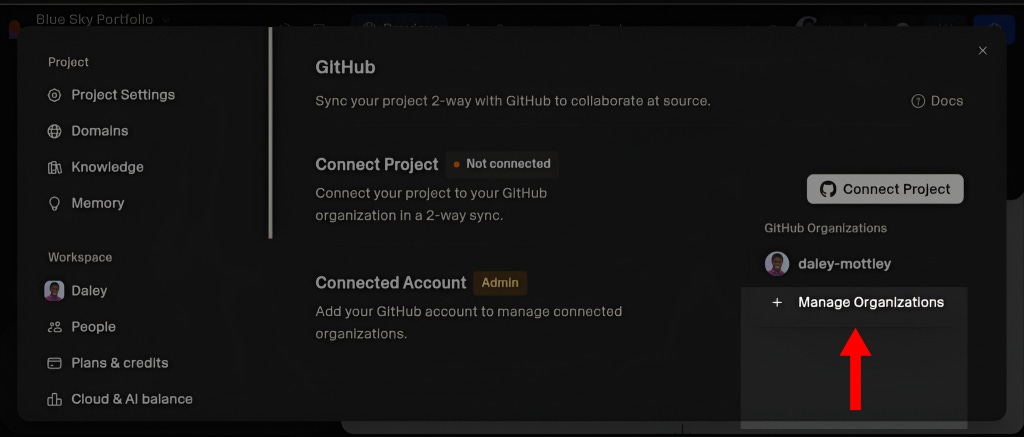
… Click the tab to the right next to your GitHub username to connect the organization to project
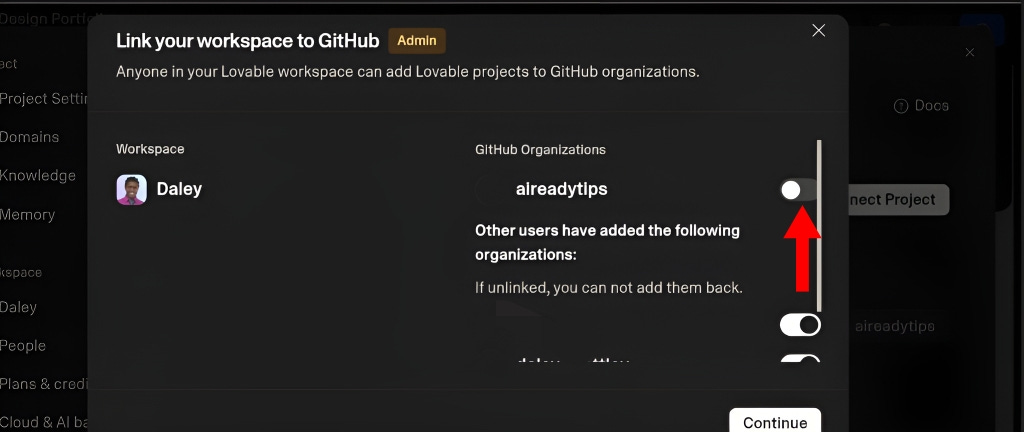
🔎 After clicking `Continue`, you should see an authorization panel Click Continue
Click Transfer anyway
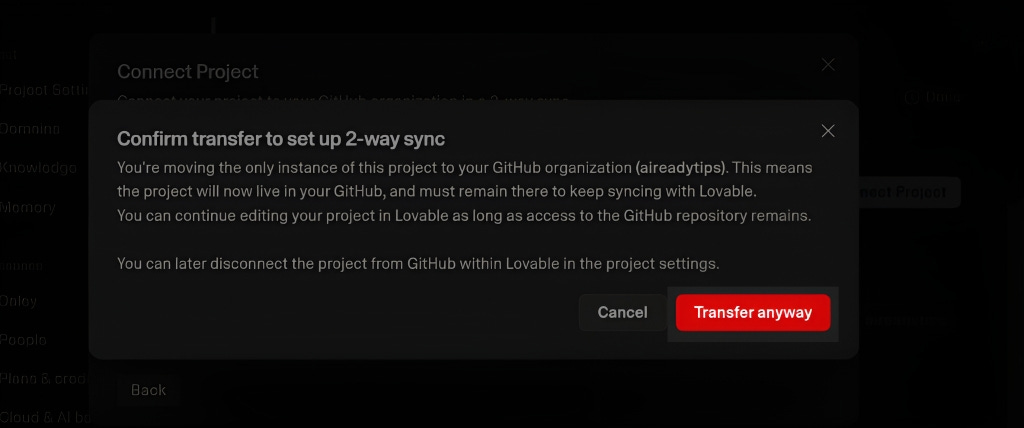
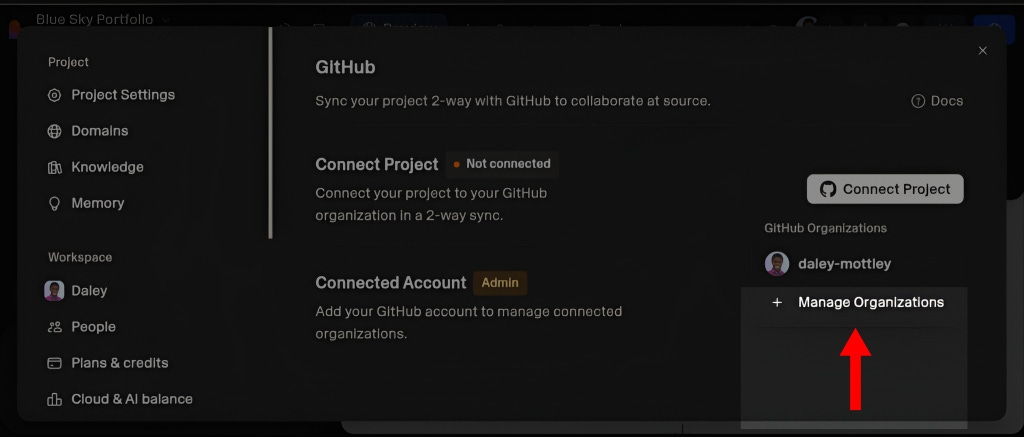
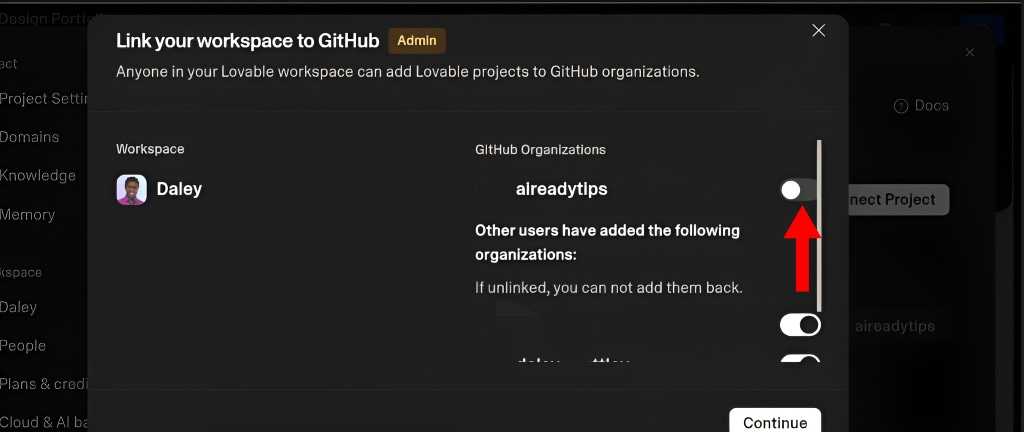
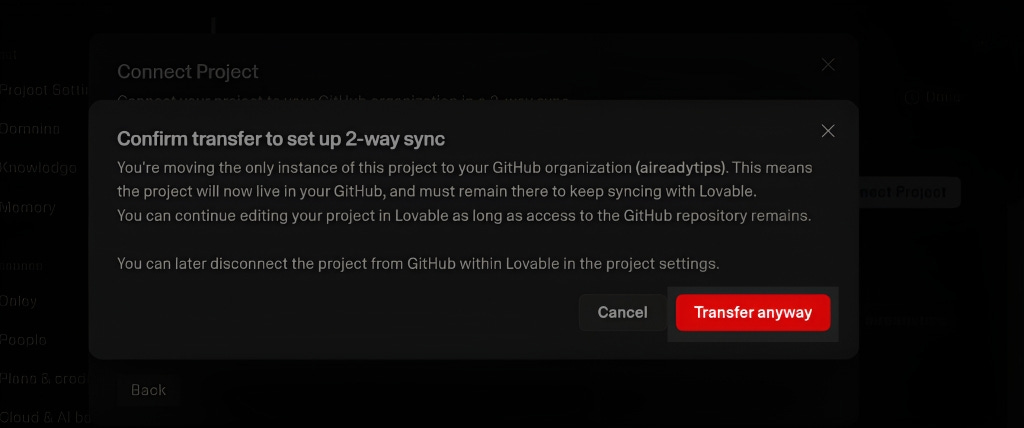
✔️ Checkpoint: You should see a new repository with all your project files.
💡 Pro Tip: Keep the GitHub repository name unchanged. Renaming or moving it later can break automatic updates between Lovable and GitHub.
🌐 Step 3: Deploy Your Website to Vercel
🎯 Goal: Make your website live on the internet.
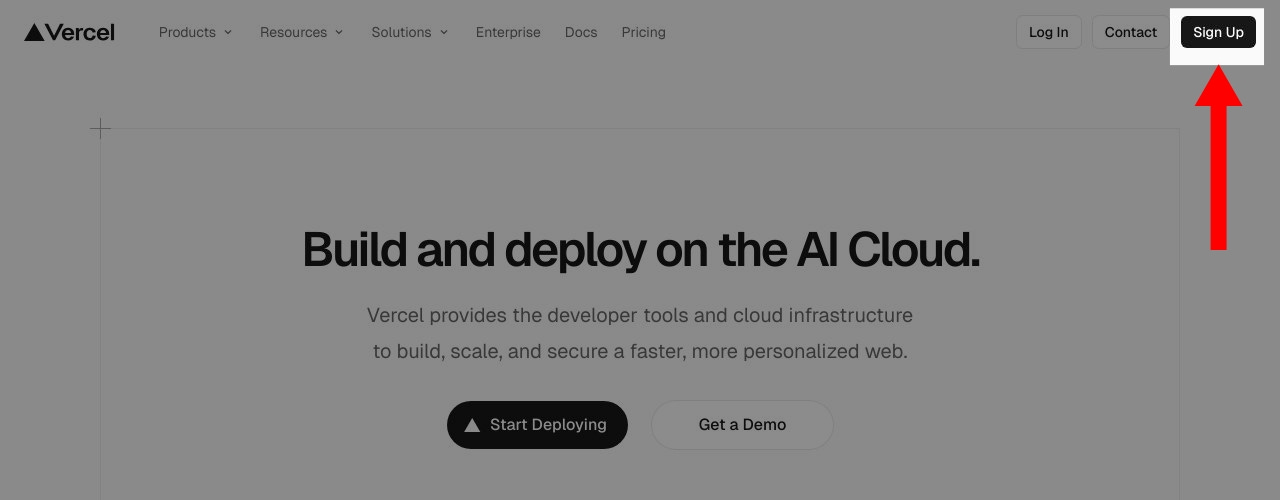
Go to Vercel
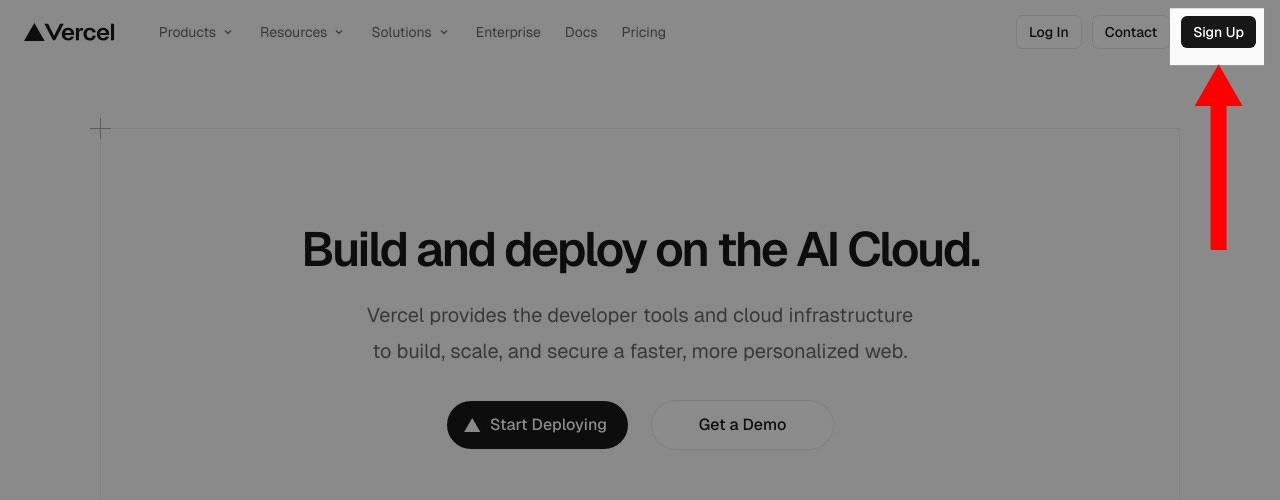
https://vercel.com Click Sign up → Continue with GitHub
Authorize Vercel to access your GitHub account
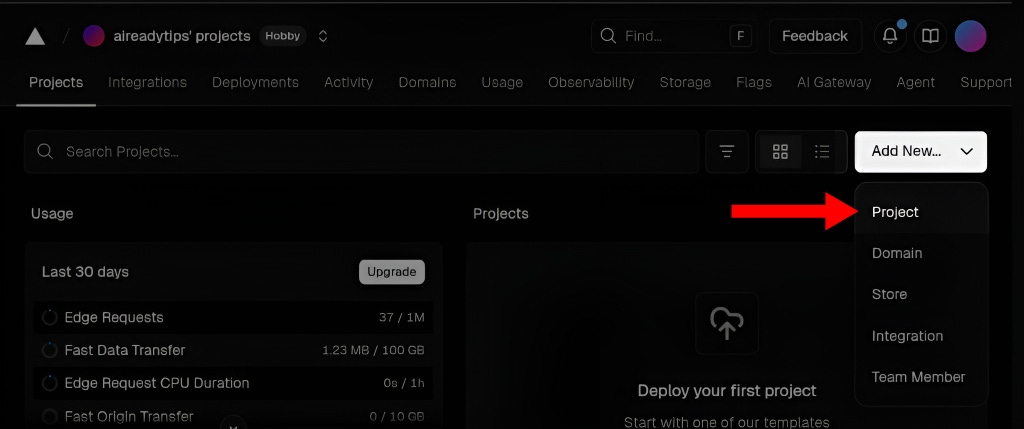
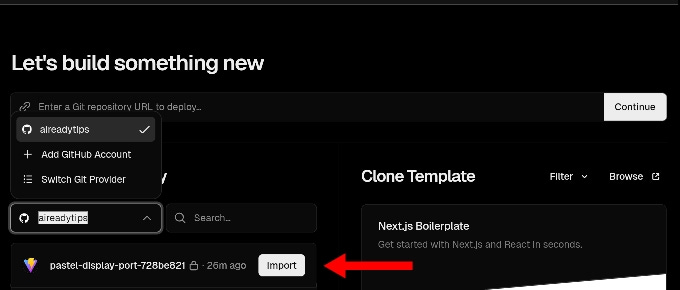
Click Add New, then select Project from the drop-down menu
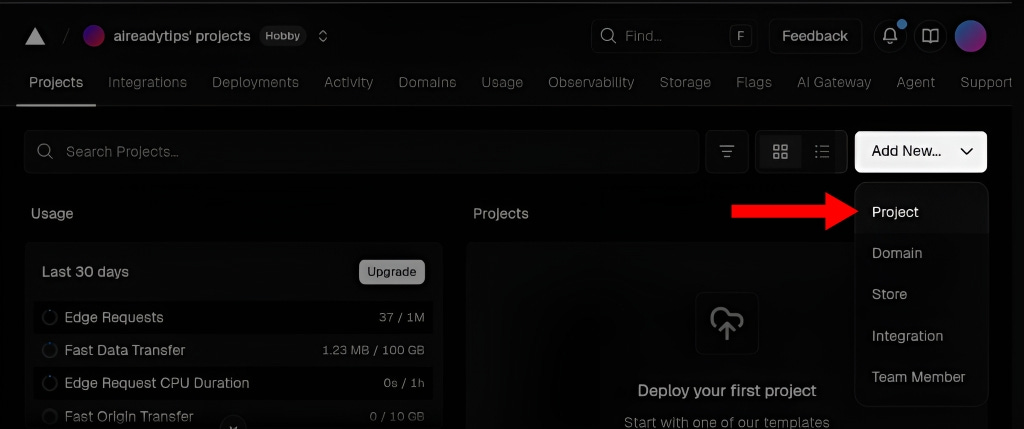
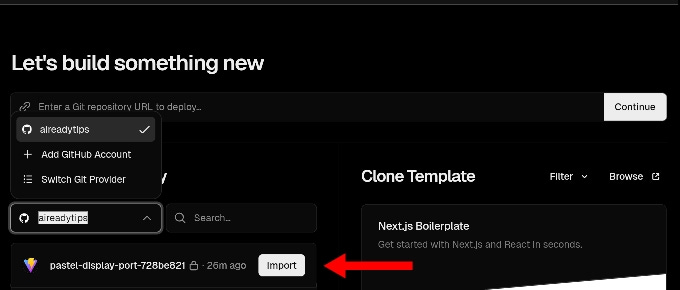
… Select the repository Lovable created
Click Import
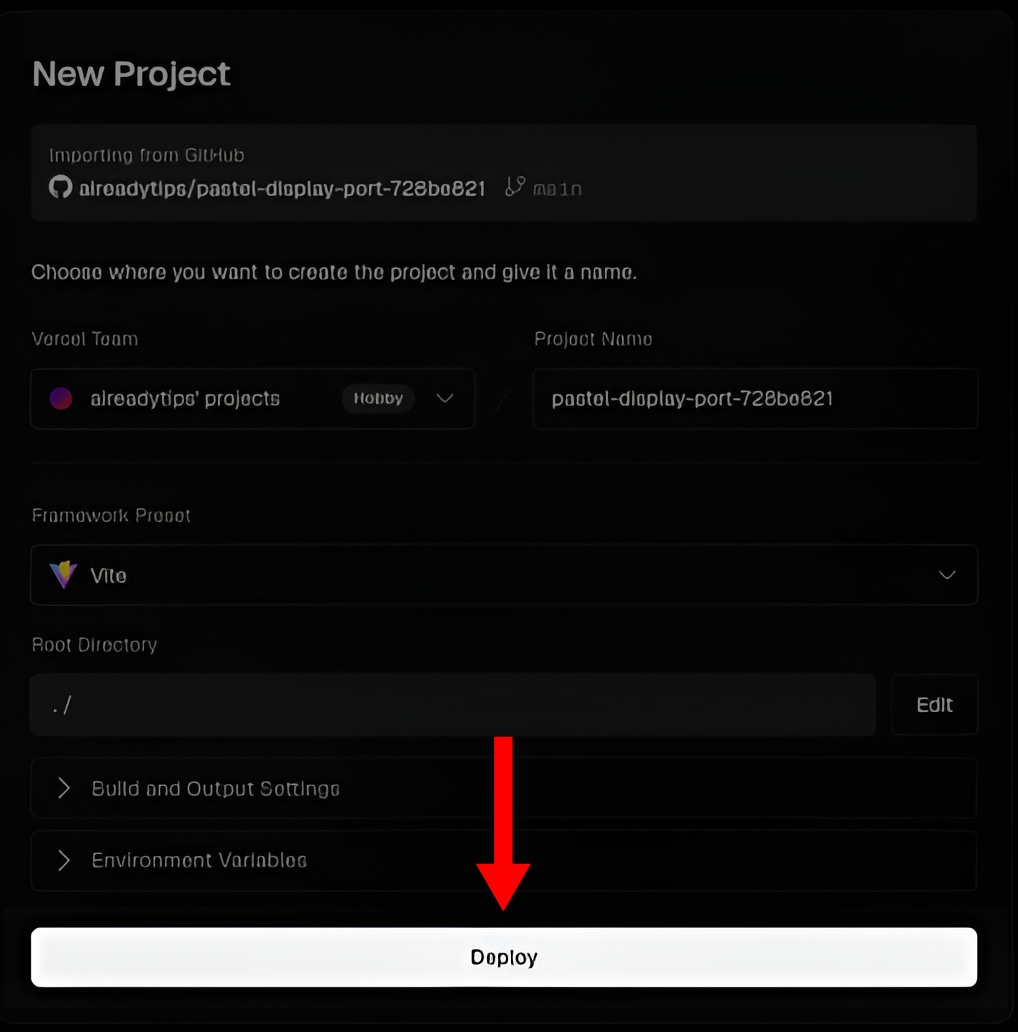
… Click Deploy
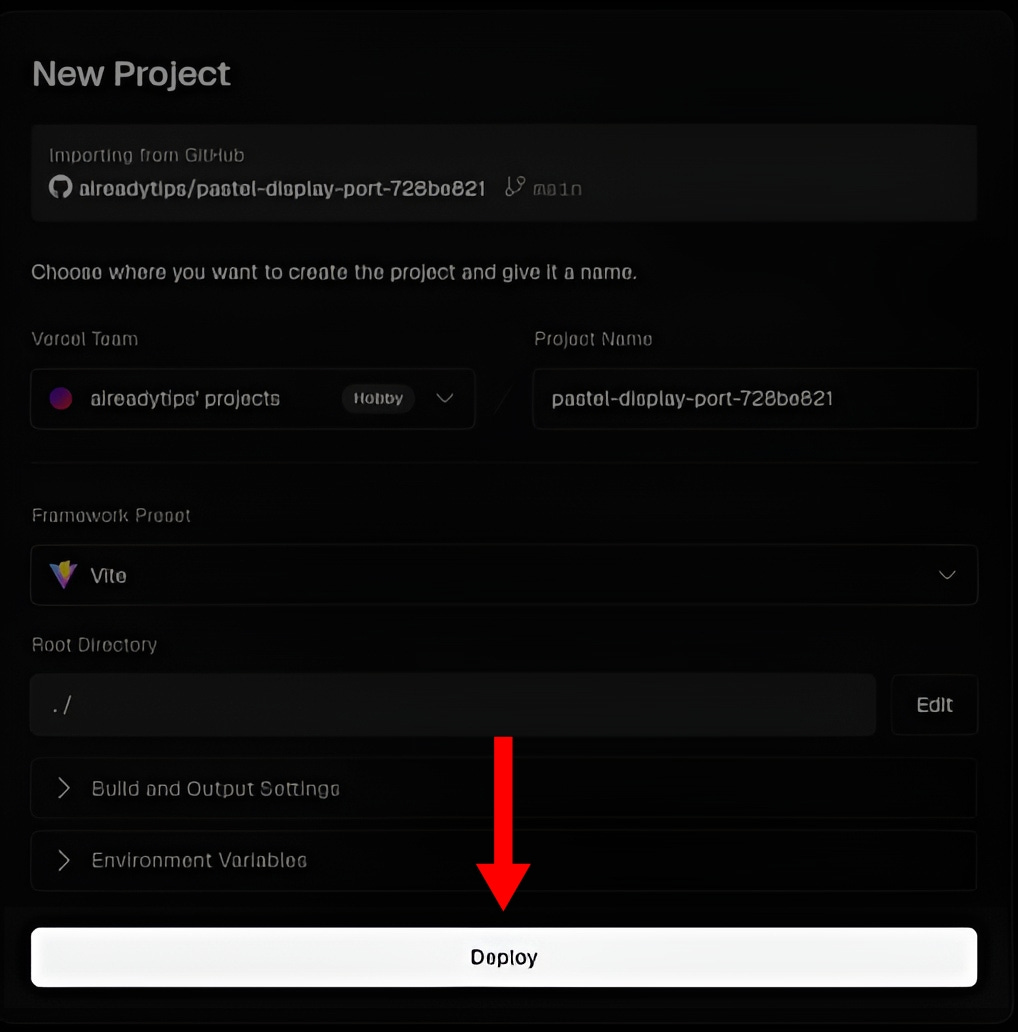
✔️ Checkpoint: Your site is built and a live link appears.
⚠️ Caveat: Deployment may occasionally fail. If this happens, check your GitHub repo connection or re-import the project manually.
🎉 Step 4: Open Your Live Website
🎯 Goal: Verify your website is online.
Click the link Vercel provides:
https://your-project-name.vercel.app
💡 Note: Updates in Lovable or GitHub will automatically appear if the GitHub integration is working.
Final Takeaway 🚀
Congratulations! Your website is now live.
Next steps:
Customize content in Lovable
Add a custom domain in Vercel
Share your website with friends or clients
Feel free to share the link to your website in the comments.
I would love to see what you’ve created! 🥳
If you want more like this, tap the ‘❤️’ and ‘🔁’ to show your vote.
Thanks for sharing, I truly appreciate your feedback 👍

@DaleyMottley
/ AI Consultant \
/ Full Stack Web Developer \
Leave a comment / Reply to: aireadytips@substack.com
Click here for my list of AI tools & services → aireadytips.com/tools